


In sales, we’re surrounded by data on quotas hit and deals lost, but the why behind those outcomes can be a mystery. What are the key moments in a conversation that actually lead to a win? And how can you replicate those successful behaviors consistently?
Let’s look at how AI can provide these answers, offering a smarter way to improve performance and productivity for sales teams.
Key Takeaways: What You’ll Learn
- Get 3 ways to use AI to scale your sales training. This guide breaks down the core applications: analyzing real calls with conversation intelligence, practicing with virtual role-playing, and delivering personalized training paths.
- Learn how to use AI as a co-pilot for your sales managers. You’ll see how tools like Gong and Zoom AI Companion transcribe and analyze calls, allowing managers to coach on specific, high-impact moments instead of listening to entire recordings.
- Find out how to use AI to build a library of “best practice” clips. Learn how to find winning moments in your top performers’ calls and save them into playlists to use for team-wide training.
- Discover how to use AI for scalable, on-demand role-playing. You’ll learn how reps can use AI-powered simulations to practice handling objections and running pitches against virtual buyer personas without needing a manager present.
- See how AI can find individual skill gaps in your CRM. This article explains how AI can connect deal outcomes (like a low closing rate) to call data (like struggling with pricing objections) to create personalized learning plans.
- Get a breakdown of specific coaching metrics from Zoom’s AI. You’ll learn how you can use data points like talk-listen ratio, talk speed, and filler word count to give reps concrete feedback.
Why Scaling Sales Training Is So Difficult
You have a team of great salespeople, but getting them consistent, personalized coaching is a constant struggle, especially if your team is large or spread out.
Good coaching is time-intensive. A sales leader has to join calls, listen to recordings, and run one-on-one sessions. To avoid excessive hours and money, training can become a generic one-size-fits-all program that doesn’t address individual needs.
The main problem is that this traditional approach relies entirely on having a person available, like a trainer or a manager. AI offers a way to support your leaders and provide personalized training on demand, helping every rep improve without overloading your managers.
3 Ways To Use AI To Train Your Team
The real value of AI is how it supports your sales team by identifying areas for improvement and providing a platform for practice, all in an easily scalable manner.
Here are 3 ways to use AI as a tool to train your sales team.
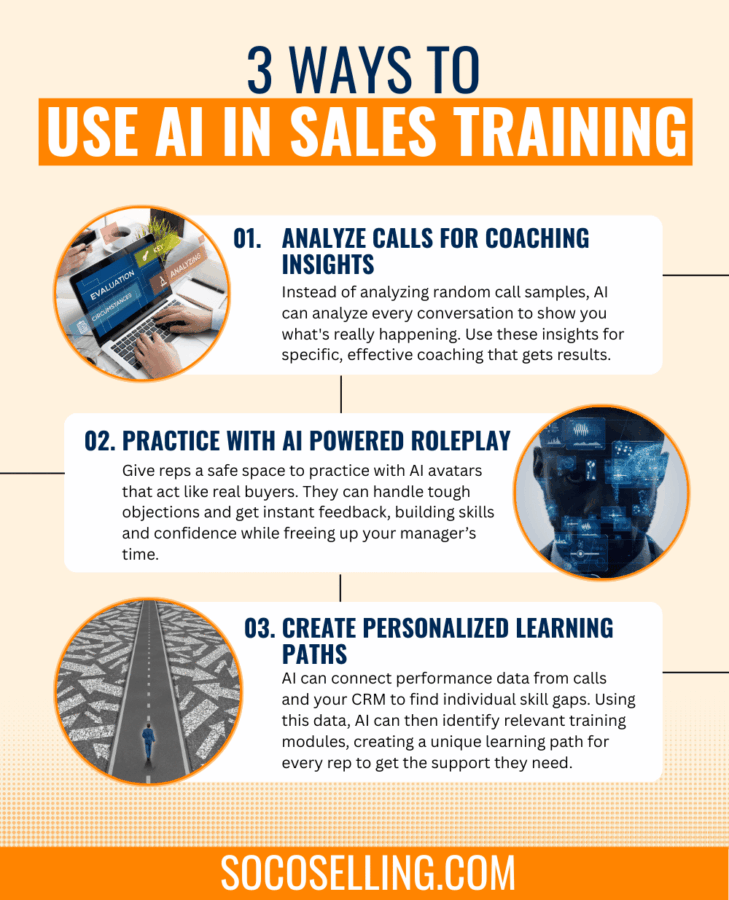
1. Get Specific Insights with Conversation Intelligence
Instead of relying on random call samples, you can use AI tools to automatically transcribe and analyze every sales call. This is the core of conversation intelligence.
These platforms analyze what was said to identify winning sales tactics used by your top performers, highlight the most common objections your team faces, and pinpoint specific areas where individual reps can improve their approach.
This will give managers a data-backed way to coach on what’s actually happening in the field.
2. Practice and Refine with Virtual Role-Playing
One of the biggest challenges is giving reps enough practice in a safe environment. AI-powered simulations solve this by letting reps practice their pitches and handle difficult scenarios with a virtual customer.
These AI avatars can be programmed to act like different buyer personas and bring up specific objections, allowing reps to practice as much as they need without taking up a manager’s time. They get instant, unbiased feedback on their performance, helping them build skills and confidence.
3. Use Data to Recommend Sales Training Modules
Beyond providing in-the-moment insights, AI can close the loop by automatically recommending specific training modules to reps based on their performance data.
By analyzing patterns from both call recordings and your CRM, the AI can pinpoint recurring skill gaps for each individual. Instead of a manager having to manually connect the dots, the system can do it for them.
For example, it might see a rep’s low conversion rate at the proposal stage in the CRM, cross-reference it with call data showing they struggle with pricing objections, and then proactively assign a training module on ‘Value Negotiation’ from your content library.
This creates a personalized learning path for every rep, ensuring they get the exact skill development they need without anyone having to guess.
Coach Your Reps on Their Actual Calls
AI-powered conversation intelligence tools can act as a co-pilot for your sales managers, making their coaching much more effective.
AI can analyze data from your call recording software and your CRM to spot specific strengths and weaknesses. For example, tools like Gong or even the built-in features in Zoom can analyze call recordings and flag things like a rep talking too fast, their tone of voice, or whether the customer’s sentiment was positive or negative.
These tools can transcribe and analyze sales calls to pinpoint winning behaviors and identify common hurdles.
Instead of having to listen to a full hour-long call, a manager gets a summary of the key moments.
The AI might flag parts of the conversation where a customer raised an objection and how the rep handled it, or identify questions the rep could have asked to dig deeper.
This allows managers to focus their coaching sessions on specific, impactful moments. Based on what happens in a call, the system can even recommend relevant training modules or sales materials to help the rep prepare for the next conversation.
Using Gong.io to Analyze Your Sales Calls
A platform like Gong.io uses a feature called Smart Trackers to move beyond simple keyword searching. Instead of just looking for specific words, this AI tool learns the context of a conversation.
Here’s how you could use it:
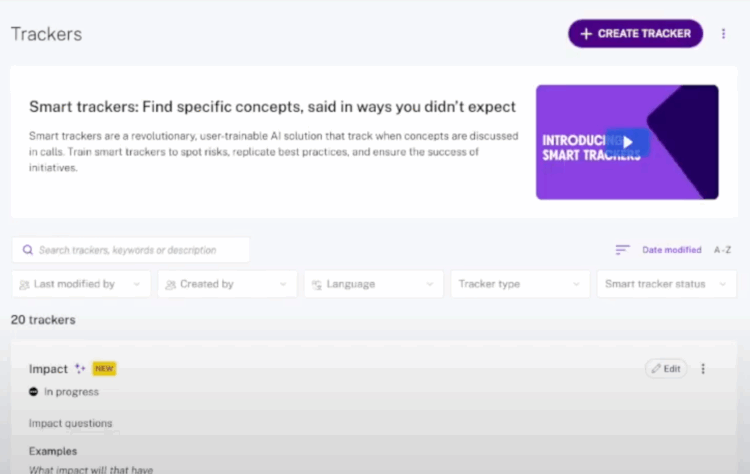
- Define and Train: Let’s say you’re coaching your team on value-based selling, and you want them to get better at connecting your product’s features to the customer’s specific business problems. You could start by giving the AI about 10 examples of what this sounds like, such as, “You mentioned your team is struggling with manual data entry; our automated reporting feature directly addresses that by saving them hours each week.”
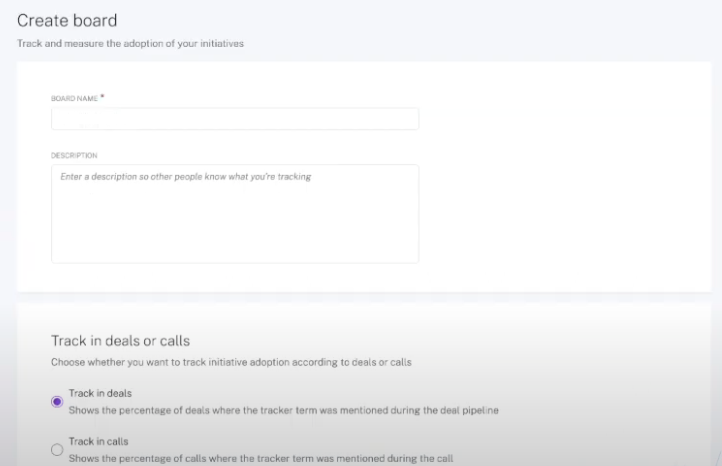
- Active Coaching: The AI then pulls snippets from your team’s real calls and asks you to verify if they are, in fact, value-based selling questions. By confirming “yes” or “no” over a few rounds, you train the system to accurately identify this specific behavior.
- Track the Initiative: Once trained, you can create an Initiatives board to see how often your team is using this skill. You can visually track the team’s adoption rate over weeks or months. You might see that after you run a training session, the use of impact questions jumps to 70%, but then dips a few weeks later. This tells you it’s time for a quick reinforcement session.
Get Coaching Insights from Zoom’s AI Companion
Zoom provides similar coaching tools through its Smart Recordings feature within AI Companion. After a recorded meeting, it automatically analyzes the conversation and organizes the feedback in a way that’s easy to review.
The most valuable part for coaching is the “My Meeting Coach” tab. Here, you and your reps can find a dashboard with key analytics on how they communicated during the call. This includes:
- Talk-Listen Ratio: Shows who dominated the conversation.
- Talk Speed: Measures how fast or slow the rep was speaking.
- Filler Words: Counts the use of words like “um” or “uh.”
- Longest Spiel: Pinpoints the longest time the rep spoke without a break.
- Patience: Tracks the time a rep waited after a customer stopped speaking before they jumped in.
For each of these metrics, the coach shows how a rep’s performance compares to recommended levels and flags areas for improvement.
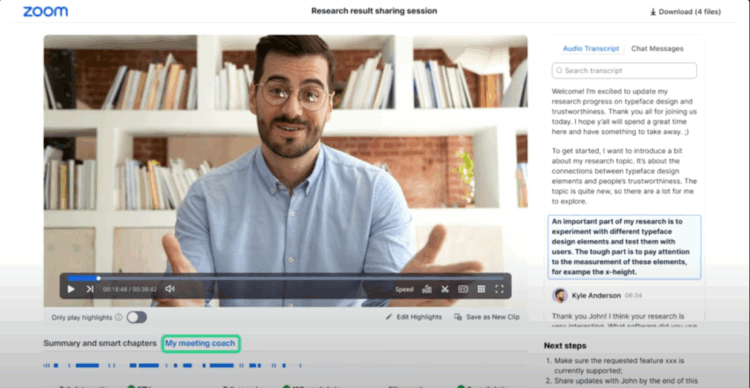
Beyond the coaching analytics, the Smart Recording also provides other useful tools for reviewing calls, like a searchable summary, automatically labeled Smart Chapters to help you find key moments, and a clear list of next steps to help with deal management.
Find Each Rep’s Specific Training Needs with AI
Instead of broad training topics, you can use AI to dig into performance data and figure out exactly where each person on your team can improve. This allows you to create truly personalized learning paths.
Looking at your CRM, AI can identify where reps get stuck in the sales process. You might find that some reps have a high percentage of meetings scheduled from their discovery calls, but others may struggle to even secure the first call. While others might be great at getting to the proposal stage but have a low closing rate. This data points you directly to the skills each rep needs to work on, so you can stop guessing.
Gong is designed not only to give you coaching insights through the analysis of your calls, it can also find performance gaps using your CRM data and help deliver personalized training based on what it finds.
Gong’s main strength is its ability to connect what happens in actual sales conversations with the deal outcomes tracked in your CRM. This creates a powerful, automated coaching loop.
Here are the key features and how they work together:
- Feature: Deal Intelligence
What it does: This is the foundation. Gong connects directly to your CRM and pulls in all your deal data. On a single screen, it shows every deal in a rep’s pipeline, its value, the current stage, and a timeline of every interaction (calls, emails). The AI analyzes this to flag deals that are at risk or moving slower than usual.
- Feature: Library & Playlists
What it does: This is your collection of “best practice” examples. Managers can find perfect examples of a top performer handling an objection or confirming a budget, clip that short moment from a real call, and save it to the team’s Library. These clips can then be organized into Playlists with names like “How to Establish a Budget” or “Securing Next Steps.”
- Feature: Coaching Recommendations
What it does: This feature ties everything together. Based on the insights from the trackers and deal board, a manager can create a Coaching Recommendation for a specific rep. The system prompts the manager with AI-driven insights, and the manager can then assign the relevant Playlist from the Library for the rep to review, setting a due date to ensure it gets done.
Use AI to Deliver Role-Playing at Scale
Practice is essential for building sales skills, but organizing role-playing sessions can be a logistical challenge. AI provides a way for your reps to practice on their own time in a risk-free environment.
There are tools now where reps can have a voice or video chat with an AI avatar that acts as a customer. A good example of this is a tool like Second Nature. With it, you can set up role-play scenarios where your reps have a video conversation with an AI avatar.
You can customize the avatar to act like different buyer personas, like a skeptical CFO or a busy IT manager, for instance. You can even program it with the common objections your team faces.
After the practice session, the AI provides a scorecard with feedback on the rep’s talk-to-listen ratio, confidence, and how well they addressed the customer’s needs.
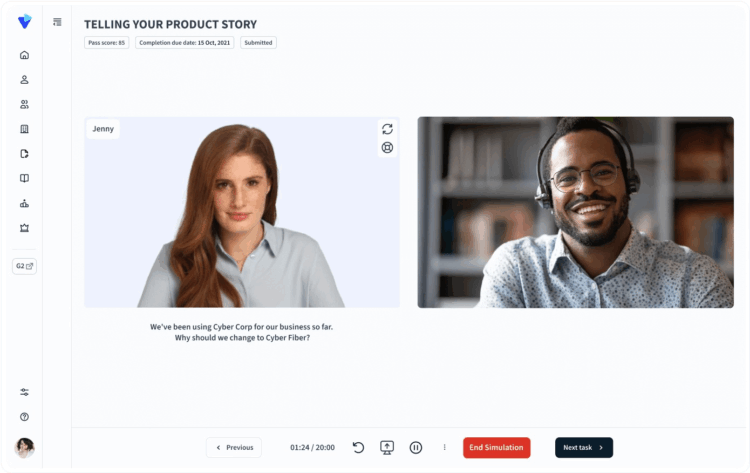
They can practice their pitch for a new product, run through common objections, or handle difficult conversations as many times as they need to.
The AI can give them immediate feedback on their performance. This lets your team build confidence and muscle memory without taking time away from managers or peers.
How SOCO Integrates AI Into Our Sales Training
Here at SOCO, we offer the option to integrate AI-powered virtual role-playing directly into our training programs. This allows your sales team to get personalized practice and immediate feedback at a scale that works for large teams.
We use this technology to reinforce the skills we teach, ensuring your reps can confidently apply what they’ve learned in real-world scenarios.
AI Powered Sales Training
Many sales reps are already using tools like ChatGPT or Gemini to craft emails. But there’s a more advanced way to use AI that most reps don’t know about. By unlocking AI’s full potential, your team can get more done in less time, allowing them to focus on what they do best: building relationships and closing deals.
Our AI Powered Sales Training focuses on advanced prompts and systems for AI tools they already have access to.
Help your team use AI to handle objections better, personalize outreach, and close more deals.
